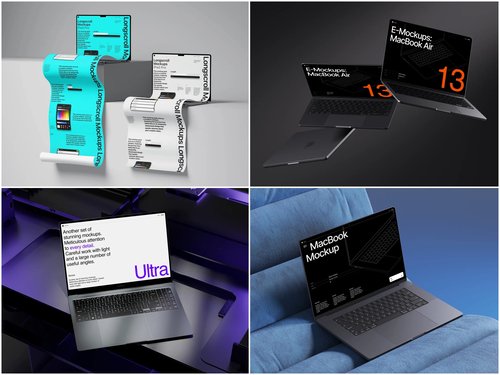
Every designer knows the sinking feeling of discovering a critical interface flaw after launch. That misaligned navigation, the unreadable text on certain screens, or the awkward spacing that somehow escaped every review meeting—these mistakes cost time, money, and credibility. The solution? Validate your designs before a single line of code is written.
Why Pre-Launch Validation Matters
Digital products fail not from lack of features, but from poor execution of fundamentals. A confusing checkout flow loses customers. An unclear dashboard frustrates users. These problems multiply when discovered post-launch, requiring emergency patches, upset stakeholders, and damaged brand perception.
Smart teams catch issues early using realistic presentation methods. A laptop mockup transforms flat design files into contextual previews that reveal problems invisible in design software. Suddenly, that sidebar you thought was spacious looks cramped. The hero image that seemed bold now overwhelms the call-to-action.
Real-World Prevention Examples
Consider a SaaS startup preparing to launch their project management tool. Their designer created beautiful UI screens in Figma, but when placed in a realistic laptop mockup, the team immediately spotted three critical issues:
- The left sidebar consumed too much horizontal space on standard laptop displays
- Their chosen font size appeared smaller than intended when viewed at actual scale
- The color contrast between buttons and background failed accessibility standards in realistic lighting conditions
These discoveries happened weeks before development began. The fixes took hours instead of the days required for post-launch corrections.
Another case involved an e-learning platform redesign. By presenting course interfaces within laptop mockups during stakeholder reviews, the team identified that their multi-panel layout felt cluttered on typical screen sizes. They simplified the design, resulting in 34% better user engagement scores after launch.
The ls.graphics Advantage
When validation accuracy matters, ls.graphics delivers mockups built for professional workflows. What sets these resources apart:
- Ultra-realistic rendering captures authentic screen reflections, accurate bezels, and genuine material textures that make designs feel tangible rather than artificial
- Organized layers structure means zero technical friction—smart objects update instantly when you drop in new designs
- Many different angles provide flexibility for every presentation scenario, from overhead portfolio shots to straight-on client presentations
- Different color styles adapt mockups to match any brand aesthetic, whether silver MacBooks for corporate pitches or space gray for tech startups
- Stylish minimalistic compositions eliminate distracting backgrounds, keeping stakeholder attention on your interface decisions
The best part? These resources are very easy to use, eliminating technical barriers that slow validation processes.
Building Your Validation Workflow
Integrate mockup validation at three critical phases:
Initial concept review: Present early wireframes in realistic contexts to align stakeholder expectations before detailed design work begins.
Mid-design checkpoints: Test visual hierarchy, spacing, and readability as you refine interfaces. This catches proportion issues while changes remain inexpensive.
Pre-development handoff: Create final validation presentations that give developers and product managers clear understanding of intended user experience.
Beyond Aesthetics: Testing Real Scenarios
Mockups aren’t just about making designs look professional. They’re testing tools. Place your dashboard design in a laptop mockup, then ask: Can users quickly locate critical actions? Does the information hierarchy guide attention appropriately? Would this interface make sense to someone seeing it for the first time?
This perspective shift reveals usability problems that teammates miss when reviewing designs in isolation. A login screen might work perfectly in Figma but feel intimidating when viewed on an actual laptop display surrounded by realistic environment elements.
Conclusion
Pre-launch validation isn’t optional anymore—it’s competitive advantage. Teams that catch UI mistakes before launch ship faster, spend less on revisions, and build better products. Laptop mockups provide the realistic context needed to spot problems while they’re still cheap to fix. By integrating professional mockup validation into your workflow, you transform design review from subjective opinion exchange into objective problem-solving. The result? Confident launches backed by thorough validation, not hopeful guessing.